Win10正式版系统下,用户可以通过修改系统中的hosts文件来屏蔽网址或翻墙。不过,近来有些使用Win10的新手用户在修改hosts文件后,发现系统浏览网页就不正常了,该怎么办呢?其实,我们只要将hosts修改为默认内容就能解决该问题。下面小编给大家分享一下原版Win10系统的HOSTS文件内容。
具体如下:
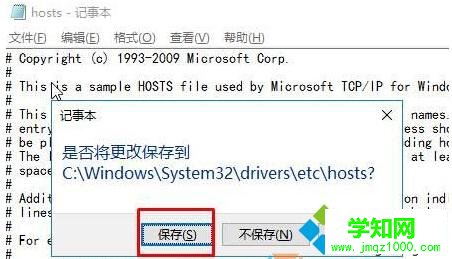
将hosts文件里内容清空,将下面内容复制进去,然后单击关闭,在弹出的框中点击“保存”即可。
# Copyright (c) 1993-2009 Microsoft Corp.## This is a sample HOSTS file used by Microsoft TCP/IP for Windows.## This file contains the mappings of IP addresses to host names. Each# entry should be kept on an individual line. The IP address should# be placed in the first column followed by the corresponding host name.# The IP address and the host name should be separated by at least one# space.# # Additionally, comments (such as these) may be inserted on individual# lines or following the machine name denoted by a '#' symbol.## For example:## 102.54.94.97 rhino.acme.com # source server# 38.25.63.10 x.acme.com # x client host
原版html' target='_blank'>Windows10系统的HOSTS文件内容就介绍到这里了。希望本教程能够帮助到所有有需要的朋友们!更多关于windows10系统的软件问题,请关注 :http://www.VeVb.com/
相关教程:win7系统慢是什么原因郑重声明:本文版权归原作者所有,转载文章仅为传播更多信息之目的,如作者信息标记有误,请第一时间联系我们修改或删除,多谢。
新闻热点






疑难解答