最近在写一个小项目,其中有一点用到了显示EditText中输入了多少个字符,像微博中显示剩余多少字符的功能。在EditText提供了一个方法addTextChangedListener实现对输入文本的监控。下边是我自己写的一个Demo。
代码实现:
布局文件main.xml
[html] view plain copy<?xml version="1.0" encoding="utf-8"?> <LinearLayout xmlns:android="http://schemas.android.com/apk/res/android" android:orientation="vertical" android:layout_width="fill_parent" android:layout_height="fill_parent" > <TextView android:id="@+id/tv" android:layout_width="fill_parent" android:layout_height="wrap_content" android:textColor="@android:color/white" android:text="Please input the text:" /> <EditText android:id="@+id/ET" android:layout_width="match_parent" android:layout_height="wrap_content" /> </LinearLayout>
Activity
[java] view plain copypackage com.damai.test; import android.app.Activity; import android.os.Bundle; import android.text.Editable; import android.text.TextWatcher; import android.widget.EditText; import android.widget.TextView; import android.widget.Toast; public class TestActivity extends Activity { private TextView mTextView; private EditText mEditText; @Override public void onCreate(Bundle savedInstanceState) { super.onCreate(savedInstanceState); setContentView(R.layout.main); mTextView = (TextView)findViewById(R.id.tv); mEditText = (EditText)findViewById(R.id.ET); mEditText.addTextChangedListener(mTextWatcher); } TextWatcher mTextWatcher = new TextWatcher() { private CharSequence temp; private int editStart ; private int editEnd ; @Override public void onTextChanged(CharSequence s, int start, int before, int count) { // TODO Auto-generated method stub temp = s; } @Override public void beforeTextChanged(CharSequence s, int start, int count, int after) { // TODO Auto-generated method stub // mTextView.setText(s);//将输入的内容实时显示 } @Override public void afterTextChanged(Editable s) { // TODO Auto-generated method stub editStart = mEditText.getSelectionStart(); editEnd = mEditText.getSelectionEnd(); mTextView.setText("您输入了" + temp.length() + "个字符"); if (temp.length() > 10) { Toast.makeText(TestActivity.this, "你输入的字数已经超过了限制!", Toast.LENGTH_SHORT) .show(); s.delete(editStart-1, editEnd); int tempSelection = editStart; mEditText.setText(s); mEditText.setSelection(tempSelection); } } }; } 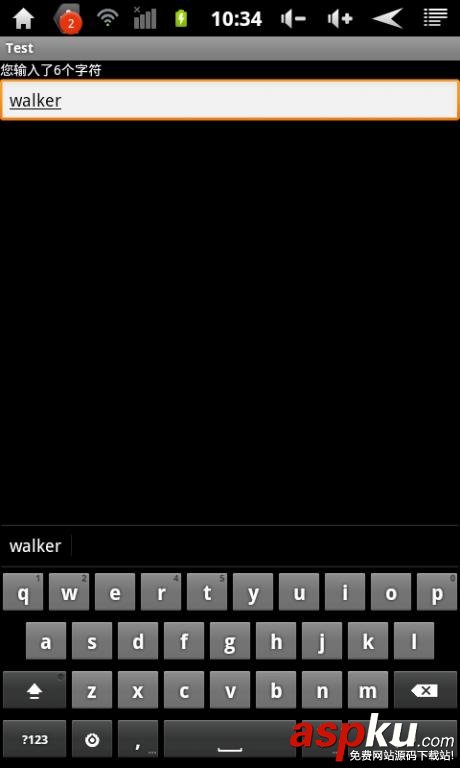
以上就是本文的全部内容,希望本文的内容对大家的学习或者工作能带来一定的帮助,同时也希望多多支持VEVB武林网!
新闻热点






疑难解答