
Android 中下拉菜单,即如html中的<select>,关键在于调用setDropDownViewResource方法,以XML的方式定义下拉菜单要显示的模样
1.1.activity_main.xml
<?xml version="1.0" encoding="utf-8"?> <LinearLayout xmlns:android="http://schemas.android.com/apk/res/android" xmlns:tools="http://schemas.android.com/tools" android:layout_width="match_parent" android:layout_height="match_parent" android:orientation="vertical" tools:context="com.rj141.sb.kongjian.MainActivity"> <LinearLayout android:orientation="horizontal" android:layout_width="match_parent" android:layout_height="wrap_content"> <TextView android:layout_width="wrap_content" android:layout_height="wrap_content" android:textSize="18dp" android:text="请选择您最喜欢的水果:" /> <Spinner android:layout_width="match_parent" android:layout_height="wrap_content" android:id="@+id/spinner" /> </LinearLayout> <TextView android:layout_width="wrap_content" android:layout_height="wrap_content" android:textSize="18dp" android:id="@+id/tv" /> </LinearLayout>
Spinner是下拉列表的组件
1.2.MainActivity.class
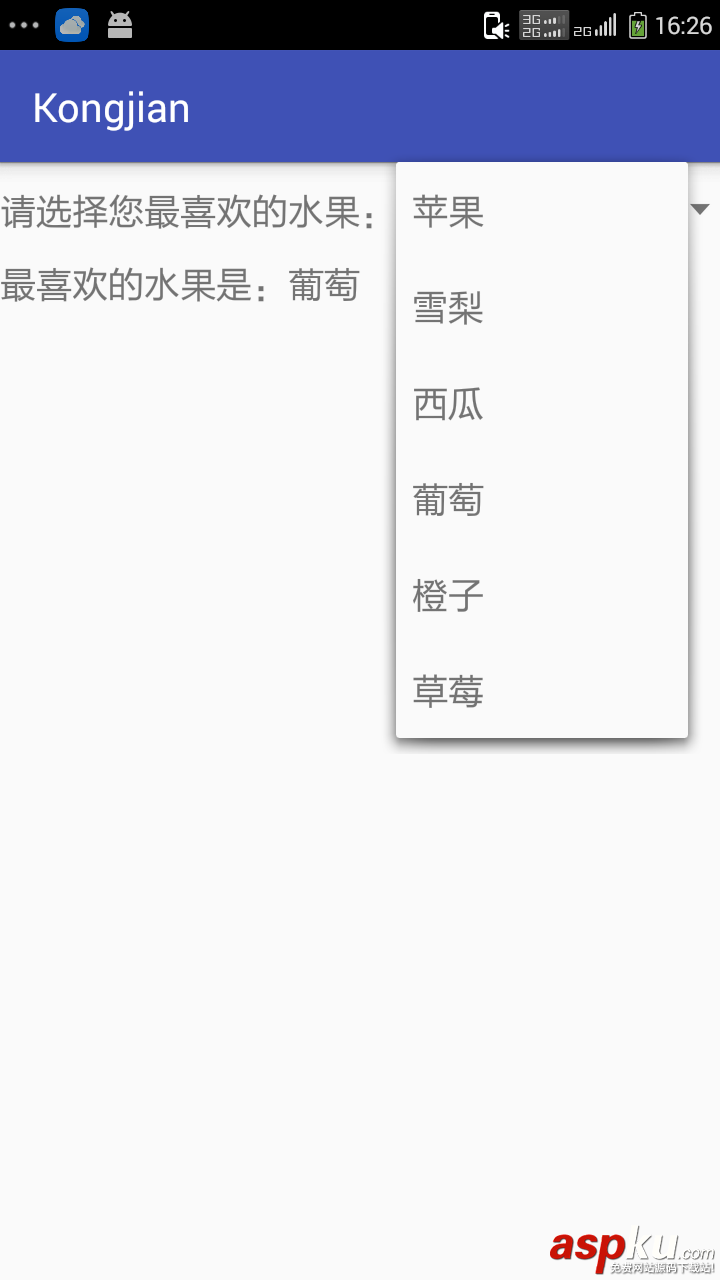
public class MainActivity extends AppCompatActivity { private Spinner s; String[] data=new String[]{"苹果","雪梨","西瓜","葡萄","橙子","草莓"}; private TextView tv; @Override protected void onCreate(Bundle savedInstanceState) { super.onCreate(savedInstanceState); setContentView(R.layout.activity_main); tv= (TextView) this.findViewById(R.id.tv); s= (Spinner) this.findViewById(R.id.spinner); s.setAdapter(new ArrayAdapter<String>(this,android.R.layout.simple_list_item_1,data)); s.setOnItemSelectedListener(new AdapterView.OnItemSelectedListener() { @Override public void onItemSelected(AdapterView<?> parent, View view, int position, long id) { String str=data[position]; tv.setText("最喜欢的水果是:"+str); } @Override public void onNothingSelected(AdapterView<?> parent) { } }); } } s.setAdapter(new ArrayAdapter<String>(this,android.R.layout.simple_list_item_1,data));android.R.layout.simple_list_item_1是指安卓自带的下拉列表格式,data是数据源;s.setOnItemSelectedListener(new AdapterView.OnItemSelectedListener()){..};是下拉列表的监听 效果图:
以上就是本文的全部内容,希望对大家学习掌握Android实现下拉菜单Spinner组件有所帮助。



















