
解决这个问题很自然想到的分两步走:
1、自动识别图像方向,计算旋转角度;
2、对图像进行旋转并显示。
一、识别图像方向
首先在这里提一个概念EXIF(Exchangeable Image File Format,可交换图像文件),具体解释参见Wiki。
简而言之,Exif是一个标准,用于电子照相机(也包括手机、扫描器等)上,用来规范图片、声音、视屏以及它们的一些辅助标记格式。
Exif支持的格式如下:
图像
压缩图像文件:JPEG、DCT
非压缩图像文件:TIFF
不支持:JPEG 2000、PNG、GIF
音频
RIFF、WAV
Android提供了对JPEG格式图像Exif接口支持,可以读取JPEG文件metadata信息,参见ExifInterface.
这些Metadata信息总的来说大致分为三类:日期时间、空间信息(经纬度、高度)、Camera信息(孔径、焦距、旋转角、曝光量等等)。
二、图像旋转
Android中提供了对Bitmap进行矩阵旋转的操作,参见Bitmap提供的静态createBitmap方法.
public static Bitmap createBitmap (Bitmap source, int x, int y, int width, int height, Matrix m, boolean filter)
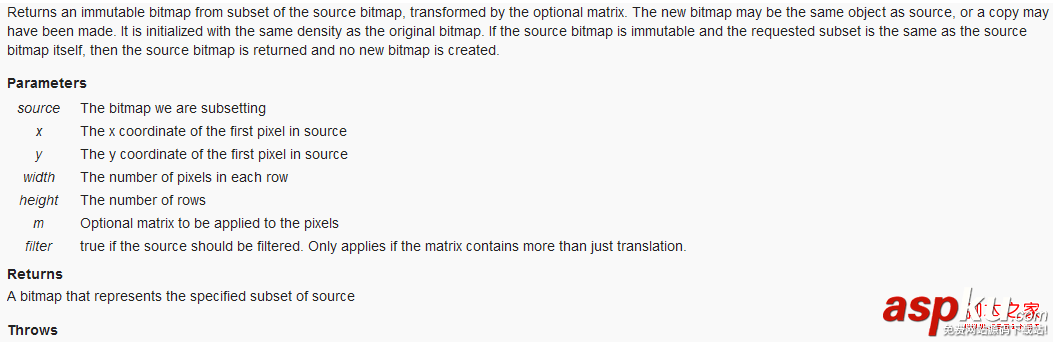
IllegalArgumentException if the x, y, width, height values are outside of the dimensions of the source bitmap.
到此这两个问题理论上都解决了,开始实际操作一下吧,参照以下代码。
复制代码代码如下:
public class IOHelper {
......
/** 从给定路径加载图片*/
public static Bitmap loadBitmap(String imgpath) {
return BitmapFactory.decodeFile(imgpath);
}
/** 从给定的路径加载图片,并指定是否自动旋转方向*/
public static Bitmap loadBitmap(String imgpath, boolean adjustOritation) {
if (!adjustOritation) {
return loadBitmap(imgpath);
} else {
Bitmap bm = loadBitmap(imgpath);
int digree = 0;
ExifInterface exif = null;
try {
exif = new ExifInterface(imgpath);
} catch (IOException e) {
e.printStackTrace();
exif = null;
}
if (exif != null) {
// 读取图片中相机方向信息
int ori = exif.getAttributeInt(ExifInterface.TAG_ORIENTATION,
ExifInterface.ORIENTATION_UNDEFINED);
// 计算旋转角度
switch (ori) {
case ExifInterface.ORIENTATION_ROTATE_90:
digree = 90;
break;
case ExifInterface.ORIENTATION_ROTATE_180:
digree = 180;
break;
case ExifInterface.ORIENTATION_ROTATE_270:
digree = 270;
break;
default:
digree = 0;
break;
}
}
if (digree != 0) {
// 旋转图片
Matrix m = new Matrix();
m.postRotate(digree);
bm = Bitmap.createBitmap(bm, 0, 0, bm.getWidth(),
bm.getHeight(), m, true);
}
return bm;
}
}
......
}



















