创建一个JavaScript表单验证插件,可以说是一个繁琐的过程,涉及到初期设计、开发与测试等等环节。实际上一个优秀的程序员不仅是技术高手,也应该是善假于外物的。本文介绍的这个不错的JavaScript表单验证插件,支持ajax验证,有需要的小伙伴可以参考下
自己编写了一个表单验证插件,支持ajax验证,使用起来很简单。
每个需要验证的表单元素下面有一个span标签,这个标签的class有一个valid表示需要验证,如果有nullable则表示可为空;rule表示验证规则,msg表示错误提示信息;to表示要验证的元素的name值,如果元素是单个的,to可以不写。该插件会遍历每个有valid的span标签,找出它前面需要验证的元素,根据rule验证,如果验证不通过,则显示边框为红色,鼠标放在元素上时显示错误信息。
验证时机:1、点击提交按钮时显式调用验证方法;2、当元素触发blur时验证。
插件代码:
CSS:
- .failvalid
- {
- border: solid 2px red !important;
- }
JS:
- /**
- * suxiang
- * 2014年12月22日
- * 验证插件
- */
- SimpoValidate = {
- //验证规则
- rules: {
- int: /^[1-9]/d*$/,
- number: /^[+-]?/d*/.?/d+$/
- },
- //初始化
- init: function () {
- $(".valid").each(function () { //遍历span
- if ($(this)[0].tagName.toLowerCase() == "span") {
- var validSpan = $(this);
- var to = validSpan.attr("to");
- var target;
- if (to) {
- target = $("input[name='" + to + "'],select[name='" + to + "'],textarea[name='" + to + "']");
- } else {
- var target = validSpan.prev();
- }
- if (target) {
- target.blur(function () {
- SimpoValidate.validOne(target, validSpan);
- });
- }
- }
- });
- },
- //验证全部,验证成功返回true
- valid: function () {
- SimpoValidate.ajaxCheckResult = true;
- var bl = true;
- $(".valid").each(function () { //遍历span
- if ($(this)[0].tagName.toLowerCase() == "span") {
- var validSpan = $(this);
- var to = validSpan.attr("to");
- var target;
- if (to) {
- target = $("input[name='" + to + "'],select[name='" + to + "'],textarea[name='" + to + "']");
- } else {
- target = validSpan.prev();
- }
- if (target) {
- if (!SimpoValidate.validOne(target, validSpan)) {
- bl = false;
- }
- }
- }
- });
- return bl && SimpoValidate.ajaxCheckResult;
- },
- //单个验证,验证成功返回true
- validOne: function (target, validSpan) {
- SimpoValidate.removehilight(target, msg);
- var rule = SimpoValidate.getRule(validSpan);
- var msg = validSpan.attr("msg");
- var nullable = validSpan.attr("class").indexOf("nullable") == -1 ? false : true; //是否可为空
- var to = validSpan.attr("to");
- var ajaxAction = validSpan.attr("ajaxAction");
- if (target) {
- //checkbox或radio
- if (target[0].tagName.toLowerCase() == "input" && target.attr("type") && (target.attr("type").toLowerCase() == "checkbox" || target.attr("type").toLowerCase() == "radio")) {
- var checkedInput = $("input[name='" + to + "']:checked");
- if (!nullable) {
- if (checkedInput.length == 0) {
- SimpoValidate.hilight(target, msg);
- return false;
- }
- }
- }
- //input或select
- if (target[0].tagName.toLowerCase() == "input" || target[0].tagName.toLowerCase() == "select") {
- var val = target.val();
- if (!nullable) {
- if ($.trim(val) == "") {
- SimpoValidate.hilight(target, msg);
- return false;
- }
- }
- else {
- if ($.trim(val) == "") {
- SimpoValidate.removehilight(target, msg);
- return true;
- }
- }
- if (rule) {
- var reg = new RegExp(rule);
- if (!reg.test(val)) {
- SimpoValidate.hilight(target, msg);
- return false;
- }
- }
- if (ajaxAction) {
- SimpoValidate.ajaxCheck(target, val, ajaxAction);
- }
- }
- else if (target[0].tagName.toLowerCase() == "textarea") {
- var val = target.text();
- if (!nullable) {
- if ($.trim(val) == "") {
- SimpoValidate.hilight(target, msg);
- return false;
- }
- }
- else {
- if ($.trim(val) == "") {
- SimpoValidate.removehilight(target, msg);
- return true;
- }
- }
- if (rule) {
- var reg = new RegExp(rule);
- if (!reg.test(val)) {
- SimpoValidate.hilight(target, msg);
- return false;
- }
- }
- if (ajaxAction) {
- SimpoValidate.ajaxCheck(target, val, ajaxAction);
- }
- }
- }
- return true;
- },
- ajaxCheckResult: true,
- ajaxCheck: function (target, value, ajaxAction) {
- var targetName = target.attr("name");
- var data = new Object();
- data[targetName] = value;
- $.ajax({
- url: ajaxAction,
- type: "POST",
- data: data,
- async: false,
- success: function (data) {
- if (data.data == true) {
- SimpoValidate.removehilight(target);
- }
- else {
- SimpoValidate.ajaxCheckResult = false;
- SimpoValidate.hilight(target, data.data);
- }
- }
- });
- },
- //获取验证规则
- getRule: function (validSpan) {
- var rule = validSpan.attr("rule");
- switch ($.trim(rule)) {
- case "int":
- return this.rules.int;
- case "number":
- return this.rules.number;
- default:
- return rule;
- break;
- }
- },
- //红边框及错误提示
- hilight: function (target, msg) {
- target.addClass("failvalid");
- target.bind("mouseover", function (e) {
- SimpoValidate.tips(target, msg, e);
- });
- target.bind("mouseout", function () {
- SimpoValidate.removetips();
- });
- },
- //取消红边框及错误提示
- removehilight: function (target) {
- target.unbind("mouseover");
- target.unbind("mouseout");
- target.removeClass("failvalid");
- SimpoValidate.removetips();
- },
- //显示提示
- tips: function (target, text, e) {
- var divtipsstyle = "position: absolute; z-index:99999; left: 0; top: 0; background-color: #dceaf2; padding: 3px; border: solid 1px #6dbde4; visibility: hidden; line-height:20px; font-size:12px;";
- $("body").append("<div class='div-tips' style='" + divtipsstyle + "'>" + text + "</div>");
- var divtips = $(".div-tips");
- divtips.css("visibility", "visible");
- var top = e.clientY + $(window).scrollTop() - divtips.height() - 18;
- var left = e.clientX;
- divtips.css("top", top);
- divtips.css("left", left);
- $(target).mousemove(function (e) {
- var top = e.clientY + $(window).scrollTop() - divtips.height() - 18;
- var left = e.clientX;
- divtips.css("top", top);
- divtips.css("left", left);
- });
- },
- //移除提示
- removetips: function () {
- $(".div-tips").remove();
- }
- };
- $(function () {
- SimpoValidate.init();
- });
如何使用:
Edit页面:
- @using Model.Suya;
- @{
- ViewBag.Title = "Add";
- Layout = "~/Views/Shared/_Layout.cshtml";
- }
- @{
- List<sys_post> postList = (List<sys_post>)ViewData["postList"];
- sys_post post = (sys_post)ViewData["post"];
- }
- <script type="text/javascript">
- $(function () {
- //部门树
- $('#dept').combotree({
- url: 'GetDeptTree',
- required: false,
- checkbox: true,
- onLoadSuccess: function () {
- $('#dept').combotree('setValue', "@(post.depCode)");
- }
- });
- //操作结果
- $("#ifrm").load(function (data) {
- var data = eval("(" + $("#ifrm").contents().find("body").html() + ")");
- alert(data.msg);
- if (data.ok) back();
- });
- $("select[name='postLevel']").find("option[value='@(post.postLevel)']").attr("selected", "selected");
- });
- //保存
- function save() {
- if (valid()) {
- $("#frm").submit();
- }
- }
- //验证
- function valid() {
- var dept = $("input[name='dept']");
- if (!dept.val()) {
- SimpoValidate.hilight(dept.parent(), "请选择所属部门");
- } else {
- SimpoValidate.removehilight(dept.parent());
- }
- return SimpoValidate.valid();
- }
- //返回
- function back() {
- parent.$('#ttTab').tabs('select', "岗位管理");
- var tab = parent.$('#ttTab').tabs('getSelected');
- tab.find("iframe").contents().find("#btnSearch").click();
- parent.$("#ttTab").tabs('close', '修改岗位信息');
- }
- </script>
- <div class="tiao">
- <input type="button" class="submit_btn" value="保存" onclick="save()" />
- <input type="button" class="submit_btn" value="返回" onclick="back()" />
- </div>
- <iframe id="ifrm" name="ifrm" style="display: none;"></iframe>
- <form id="frm" method="post" enctype="multipart/form-data" action="/HR/PostManage/SaveEdit?id=@(post.id)"
- target="ifrm">
- <div class="adminMainContent">
- <div class="box">
- <div class="box-title">
- 基础信息
- </div>
- <div class="box-content">
- <table cellpadding="0" cellspacing="0" class="detail" width="100%">
- <tr>
- <td class="title">
- <span class="mst">*</span>岗位名称:
- </td>
- <td style="width: 35%;">
- <input type="text" class="xinxi_txt" name="postName" value="@post.postName" />
- <span class="valid" msg="必填,且长度不能超过50" rule="^(.|/n){0,50}$"></span>
- </td>
- <td class="title">
- <span class="mst">*</span>岗位编号:
- </td>
- <td style="width: 35%;">
- <input type="text" class="xinxi_txt" name="postCode" value="@post.postCode" />
- <span class="valid" msg="必填,且长度不能超过20" rule="^(.|/n){0,20}$" ajaxaction="/HR/PostManage/AjaxCheckPostCode?id=@post.id">
- </span>
- </td>
- </tr>
- <tr>
- <td class="title">
- <span class="mst">*</span> 所属部门:
- </td>
- <td style="width: 35%;">
- <input type="text" name="depCode" id="dept" class="easyui-combotree" style="height: 30px;" />
- </td>
- <td class="title">
- <span class="mst">*</span>汇报对象:
- </td>
- <td style="width: 35%;">
- <select class="xueli" name="reportPostCode" id="agreementType">
- <option value="" selected="selected">==请选择==</option>
- @foreach (sys_post item in postList)
- {
- if (item.postCode == post.reportPostCode)
- {
- <option value="@item.postCode" selected="selected">@item.postName</option>
- }
- else
- {
- <option value="@item.postCode">@item.postName</option>
- }
- }
- </select>
- <span class="valid" msg="请选择合同分类">
- </td>
- </tr>
- <tr>
- <td class="title">
- <span class="mst">*</span>岗位级别:
- </td>
- <td style="width: 35%;">
- <select class="xueli" name="postLevel">
- <option value="" selected="selected">==请选择==</option>
- <option value="1">1</option>
- <option value="2">2</option>
- <option value="3">3</option>
- <option value="4">4</option>
- <option value="5">5</option>
- <option value="6">6</option>
- </select>
- <span class="valid" msg="请选择岗位级别">
- </td>
- <td class="title">
- </td>
- <td style="width: 35%;">
- </td>
- </tr>
- <tr>
- <td class="title">
- <span class="mst">*</span>备注:
- </td>
- <td colspan="3" style="width: 35%;">
- <textarea name="remarks" style="width: 500px;">@post.remarks</textarea>
- <span class="valid" msg="长度不得超过500" rule="^(.|/n){0,500}$"></span>
- </td>
- </tr>
- </table>
- </div>
- </div>
- </div>
- </form>
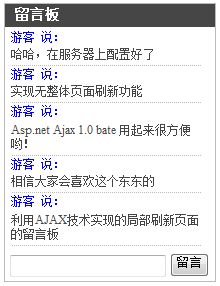
效果图:

以上所述就是本文的全部内容了,希望大家能够喜欢。
新闻热点






疑难解答
图片精选