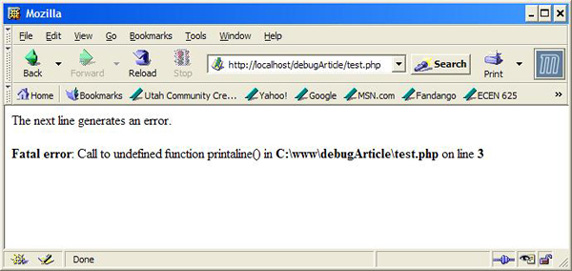
header() 函数向客户端发送原始的 http 报头,认识到一点很重要,即必须在任何实际的输出被发送之前调用 header() 函数,在 php教程 4 以及更高的版本中,您可以使用输出缓存来解决此问题,代码如下:
- <html>
- <?php
- // 结果出错
- // 在调用 header() 之前已存在输出
- header('location: http://www.Vevb.com/');
- ?>
语法:header(string,replace,http_response_code)
参数 描述
string 必需,规定要发送的报头字符串。
replace 可选,指示该报头是否替换之前的报头,或添加第二个报头。
默认是 true(替换),false(允许相同类型的多个报头).
http_response_code 可选,把 http 响应代码强制为指定的值,php 4 以及更高版本可用.
PHP实例代码如下:
- <?php
- function downfile()
- {
- $filename=realpath("resume.html");
- header( "content-type: application/octet-stream ");
- header( "accept-ranges: bytes ");
- header( "accept-length: " .filesize($filename));
- header( "content-disposition: attachment; filename= 4.html");
- echo file_get_contents($filename);
- readfile($filename);
- }
- downfile();
- ?>
- <?php
- function downfile($fileurl)
- {
- $filename=$fileurl;
- $file = fopen($filename, "rb");
- header( "content-type: application/octet-stream ");
- header( "accept-ranges: bytes ");
- header( "content-disposition: attachment; filename= 4.doc");
- $contents = "";
- while (!feof($file)) {
- $contents .= fread($file, 8192);
- }
- echo $contents;
- fclose($file);
- }
- $url=$_request['url'];
- $url="http://www.Vevb.com";
- downfile($url);
- ?>
新闻热点






疑难解答